
DIGITAL KANBAN & REPLENISHMENT
Digital Kanban & Replenishment
Connect point-of-use consumption with a clear replenishment signal and response.

THE WORKING MECHANISM
From physical action
to a useful response.
WHAT YOUR TEAM CAN ACHIEVE
Clarity at the
point of work.
- Low, critical and empty stock signals
- Two-bin and line-side supply workflows
- Replenishment requests and acknowledgement
- Consumption visibility for planning teams

WHERE IT FITS
Designed around your material.
- Assembly components and fasteners
- Critical production supplies
- High-consumption point-of-use materials
BRING IT INTO YOUR OPERATION
A realistic setup.
A defined workflow.
Thresholds and response ownership follow your operating rhythm. The signal supports replenishment; picking, transport and refill remain defined actions.
Begin with representative material, the current storage arrangement and the business event you want to capture. Agree the operator action, interface and acceptance measures together.
RELATED OPPORTUNITIES
Build the next
connected step.

See current stock by item and location
SLIM measures physical stock in selected bins, crates or pallet locations. See quantity changes and identify locations that need attention.
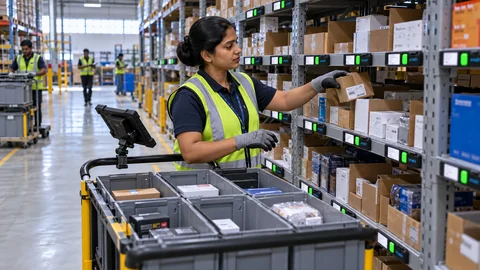
Guide operators to the right pick or put-away location
Pick To Light shows the assigned location and quantity. Operators confirm the action through the configured workflow.
How a digital Kanban replenishment loop works
Observe consumption and define the refill signal
Digital Kanban connects a consumption or low-stock signal with a replenishment task. With a suitable monitored bin, SLIM can provide the stock observation. The application compares the balance with an agreed threshold and identifies the item, location and supply point. A signal is useful only when the team responsible for the response receives it.
Close the loop after the request
Define refill quantity, material availability checks, task ownership and how completion is confirmed. Distinguish a stock alert from an authorized purchase or transfer. Agree when the ERP/WMS should receive a record and how duplicate requests, empty supply locations or an interrupted connection are handled. Faster alerts alone cannot guarantee the elimination of stock-outs.
Measure a line-side pilot
Record the checking effort, refill response time, shortage events and stock held in the chosen area. Compare these measures after the workflow is established. Any reduction in safety stock must reflect actual demand, lead time and service requirements rather than a fixed percentage applied to every item.
Explore line-side inventory, warehouse replenishment and vendor-managed inventory. The inventory ROI calculator separates checking effort, stock release and operating costs.
YOUR NEXT CONNECTED WORKFLOW
Let’s bring this into
digital kanban & replenishment.
Share the material, storage arrangement and action you want to connect. We’ll map a practical first application.