EXPLORE YOUR FACTORY OR WAREHOUSE
Real-time inventory monitoring and guided picking
Follow the guided tour across manufacturing and warehouse operations. Or choose any department to explore its daily work, pain points and connected future.

Illustrative department interiors · Explore daily work, pain points and the connected future.
WHAT DFXBOT HELPS YOU DO
Monitor stock. Refill bins. Guide each pick.
SLIM measures the stock remaining in a bin, crate or pallet location. Pick To Light shows operators where to pick or place material. Choose a task below to see how it works in your operation.
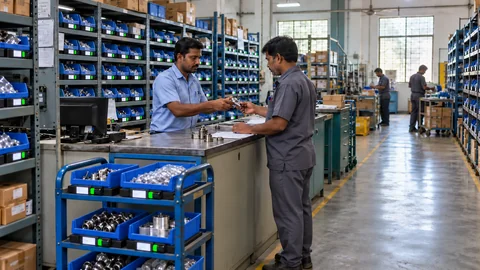
See current stock by item and location
SLIM measures physical stock in selected bins, crates or pallet locations. See quantity changes and identify locations that need attention.
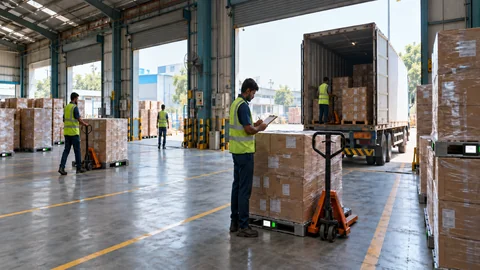
Verify received material and quantity
Compare the arriving material and measured quantity with the expected receipt. Record the check before stock is accepted.
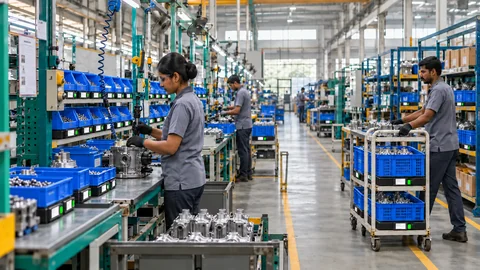
Request replenishment when stock runs low
Use point-of-use stock levels and agreed thresholds to alert the supply team when a location needs refilling.
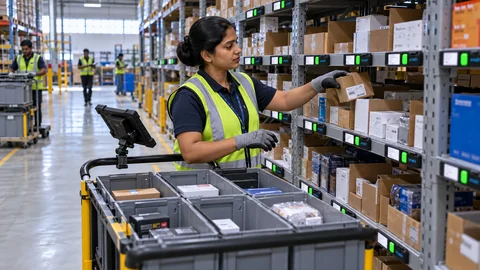
Guide operators to the right pick or put-away location
Pick To Light shows the assigned location and quantity. Operators confirm the action through the configured workflow.
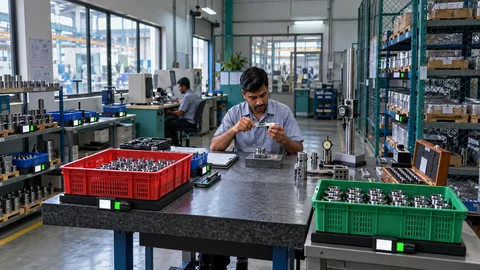
Track material identity and quality status
Link material records with batch details, quality decisions and process history using the inputs defined for your application.
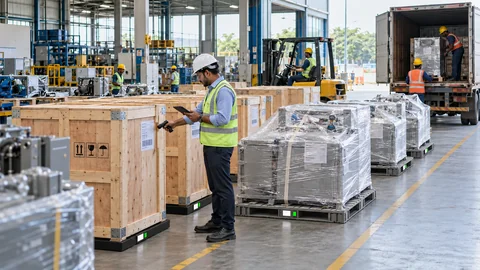
Check pallet quantity before dispatch
Use measured pallet weight alongside shipment details to check the load against the agreed dispatch plan.
HOW SLIM WORKS
How stock measurements become replenishment actions
For example, when parts are taken from a monitored bin, SLIM measures the remaining stock. The application compares it with your refill threshold and alerts the responsible team.
Pick To Light supports a different task: showing operators where to pick or place material. Both systems can exchange the agreed records with your ERP or WMS.

SLIM measures the remaining quantity at the monitored location.

The application compares the measured balance with the refill level set for that item.

The assigned team receives the request. ERP or WMS updates depend on the agreed integration.
FITS THE WAY YOU OPERATE
Your systems. Your people.
Your deployment choice.
ERP / WMS integration
Connect item data, approved lists and validated transactions through the agreed interfaces.

Multilingual applications
Give operators the supported language and terminology they can comfortably use.

On-premise or cloud
Choose the application deployment that fits your infrastructure and authorized access.
Phased scalability
Start with one workflow, then expand through locations, departments and sites.
MATCH THE SETUP TO YOUR STOCK
Choose an application for your material
Select a material category to see what we assess and which inventory workflow may suit it.
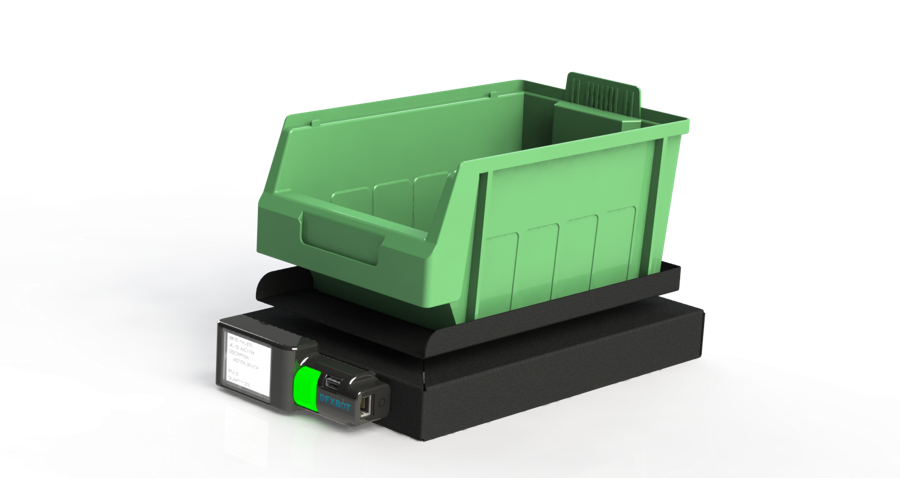
Measure quantities of small components
Test representative parts and containers to confirm whether unit-weight consistency and measurement resolution support the stock quantity you need.
Explore this application ↗An item may belong to more than one category. We assess its weight, container, handling method and the task you want to improve.
FOLLOW YOUR MATERIAL
Explore inventory workflows from receipt to dispatch
Choose a stage to see the stock checks, operator guidance and records involved.
FROM SITE REVIEW TO ROLLOUT
How we plan and validate your first installation
Start with one workflow. Test it with your material, operators and systems before deciding where to expand.
PRODUCT DEMONSTRATIONS
Watch SLIM stock monitoring demonstrations
Play a short video to see physical stock measurement, receipt verification or inventory monitoring in action.
UNDERSTAND THE VALUE
Build the business case
around your operation.
 Operating value
 Investment case
The value of visible inventory.
Evaluate the relevant counting, replenishment, inventory-policy and reporting opportunities using your own baseline.
The value of guided operations.
Evaluate the relevant picking, kitting and operator-workflow opportunity against the agreed investment.
COMMON QUESTIONS
Questions about installation and integration
Can we use our existing racks, bins and pallets?
Retrofit configurations are assessed around the container, load, storage geometry and handling routine. A representative installation confirms the fit.
Can SLIM and Pick To Light connect with our ERP or WMS?
Yes. We define the master data, workflow inputs and transaction outputs against your available interfaces and agreed integration scope.
Can the application run on-premise or in the cloud?
Both deployment approaches are available. Infrastructure, access, network and data responsibilities are agreed for your operation.
How do we begin with small or lightweight components?
We assess actual unit weight, variation, tare and the quantity resolution needed. The pilot validates the method with your material.
Can we start with one department and expand?
Yes. Start with a useful workflow, validate the operating and integration model, then plan the next locations or departments.
YOUR NEXT CONNECTED WORKFLOW
Discuss your inventory or picking workflow
Share the material, storage arrangement and action you want to connect. We’ll map a practical first application.