
STORES & INVENTORY
Stores & Inventory Solutions
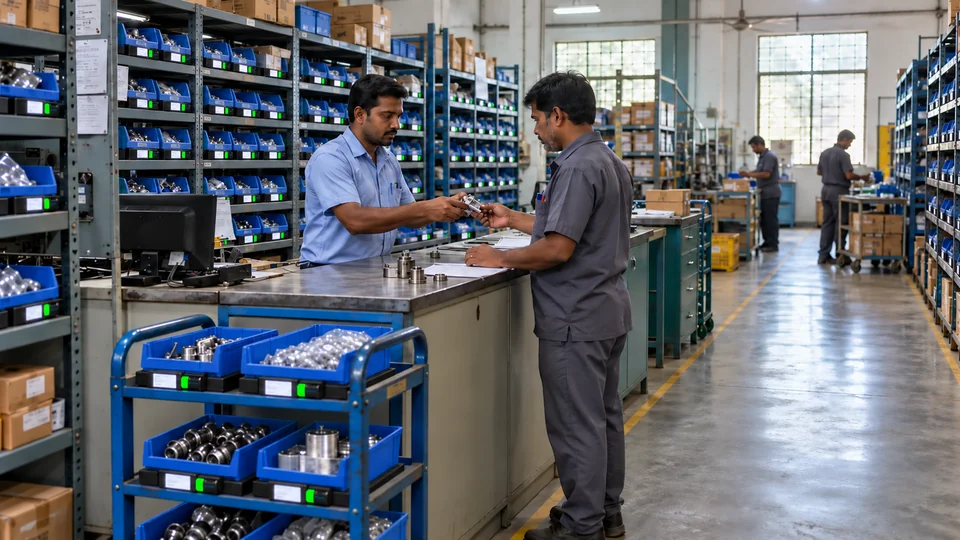
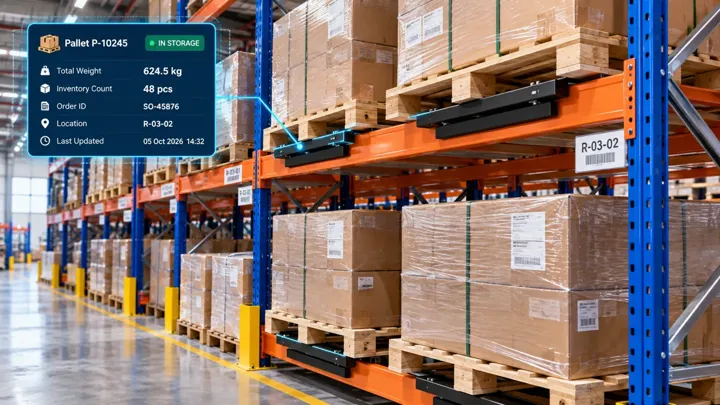
See the working balance in mapped bins and crates, alongside available, reserved and quality-held stock.
SLIM
Stores supervisors · Planning · Procurement · Finance
THE WORKING MECHANISM
From physical action
to a useful response.
WHAT YOUR TEAM CAN ACHIEVE
Clarity at the
point of work.
- Live location balance
- Material issue and refill history
- Find My Bin guidance
- Configured stock status and ERP comparison
WHERE IT FITS
Designed around your material.
- High-value and long-lead components
- Small parts and critical spares
- Class A, B and C inventory priorities
BRING IT INTO YOUR OPERATION
A realistic setup.
A defined workflow.
Physical load supplies the quantity signal. Available, reserved and held states come from configured workflow or ERP data.
Begin with representative material, the current storage arrangement and the business event you want to capture. Agree the operator action, interface and acceptance measures together.
RELATED OPPORTUNITIES
Build the next
connected step.

Request replenishment when stock runs low
Use point-of-use stock levels and agreed thresholds to alert the supply team when a location needs refilling.
Explore Digital Kanban & Replenishment ↗
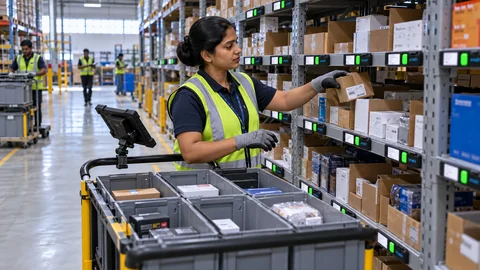
Guide operators to the right pick or put-away location
Pick To Light shows the assigned location and quantity. Operators confirm the action through the configured workflow.
Explore Guided Picking & Put-Away ↗
YOUR NEXT CONNECTED WORKFLOW
Let’s bring this into
stores & inventory.
Share the material, storage arrangement and action you want to connect. We’ll map a practical first application.